
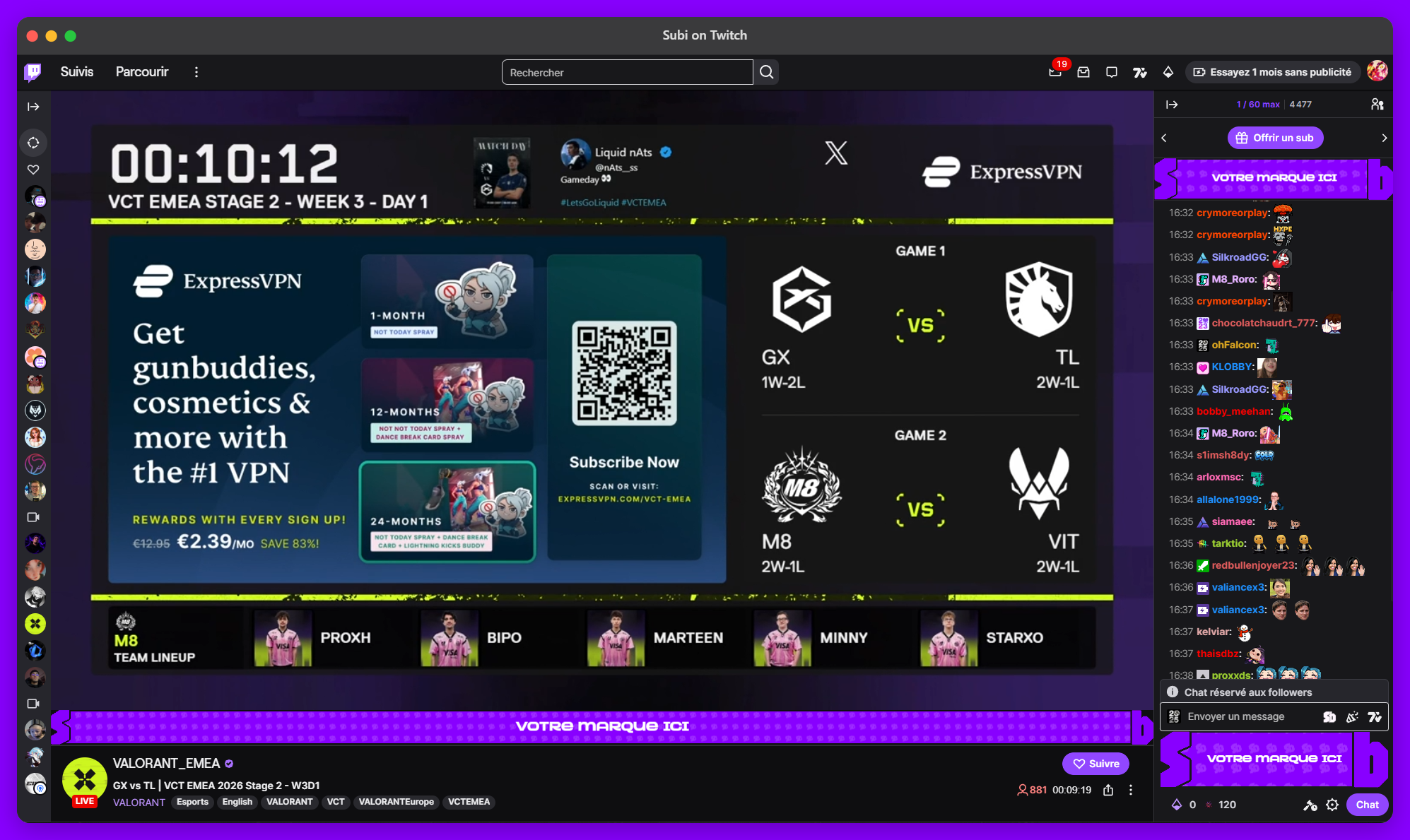
Obtiens des subs en regardant.
Obtiens un sub chaque mois gratuitement rien qu'en regardant ton streamer préféré ! Installe l'extension Chrome, connecte-toi avec Twitch, et c'est parti "sauf s'il n'y a pas de pubs à afficher"
* Les pubs ne sont pas intrusives, elles ne bloqueront pas ta vue du stream ni de la page.
Pour les streamers · gagnez en streamant
Streamers
Gagnez de l'argent en promouvant Subi auprès de vos viewers.
Partage ton lien de parrainage dans le chat. Chaque viewer qui installe Subi via ton lien te rapporte 1€ par 1 000 impressions regardées, automatiquement, sans plafond.
1€
par 1 000 impressions
10€
paiement minimum
1k+
abonnés requis
1
Candidater avec Twitch
Connecte ton compte. Tu dois avoir au moins 1 000 abonnés et 50 subs actifs !
2
Obtenir ton lien de parrainage
Une fois approuvé, tu reçois un lien unique (subi.live/pseudo), partage-le où tu veux !
3
Gagner sur chaque impression
Toutes les vues de chaque viewer référencé par ton lien sont additionnées et te génèrent 1€ tous les 1 000 vues !
4
Retirer via PayPal
Demande un virement dès 10€. On paie en quelques jours ouvrés !
Pour les annonceurs · créer une campagne
Annonceurs
Touchez des viewers Twitch qui font vraiment attention.
Les viewers gagnent des crédits vers un sub Twitch gratuit pour chaque pub regardée. C'est cet incitatif qui les pousse à regarder.
Trois emplacements, une enchère par slot
Comment ça marche
1
Créez votre campagne
Importez votre créatif ou utilisez notre constructeur de carte simple. Définissez votre enchère et votre budget.
2
Payez et diffusez instantanément
Paiement unique via Stripe. Votre campagne est activée dès la confirmation du paiement, sans délai de validation.
3
La plus haute enchère passe en premier
Le leader obtient les impressions prioritaires. Surenchérissez pour prendre la 1ère place, ou attendez votre tour à un CPM inférieur (votre pub sera quand même diffusée, juste moins souvent).
Marché des enchères
Classement en temps réel par emplacement
Banner
Below player · 728×90
€5.00
Prix du marché
plancher, aucune pub
—
Impressions / h
aucune pub active
Aucune campagne, soyez le premier à enchérir.
Chat Banner
Top of chat · 300×100
€5.00
Prix du marché
plancher, aucune pub
—
Impressions / h
aucune pub active
Aucune campagne, soyez le premier à enchérir.
Chat Card
Inline in chat · 320×250
€5.00
Prix du marché
plancher, aucune pub
—
Impressions / h
aucune pub active
Aucune campagne, soyez le premier à enchérir.